← All work Tzalul 3 min read
03 · Case study

Fewer features, faster mornings.

A mobile app for produce brokers, who match what farmers bring each morning to what wholesalers want.

ClientTzalul, produce brokers
Year · Duration2025 · about 6 months
PlatformMobile app
My roleProduct designer: UX, UI, component library
TeamMe, a PM, the brokers’ lead (client), development
Problem

Every day, brokers take farmers’ produce and quantities, agree prices, and split it between wholesalers, on notes, lists and WhatsApp.

What I did

Worked closely with the brokers’ lead and with development, and designed the app and a full component library.

Key decision

Show only what the morning needs. I left out features that looked good but got in the way.

Status

Taken to a development-ready finish. Not built: development was too costly for the client.
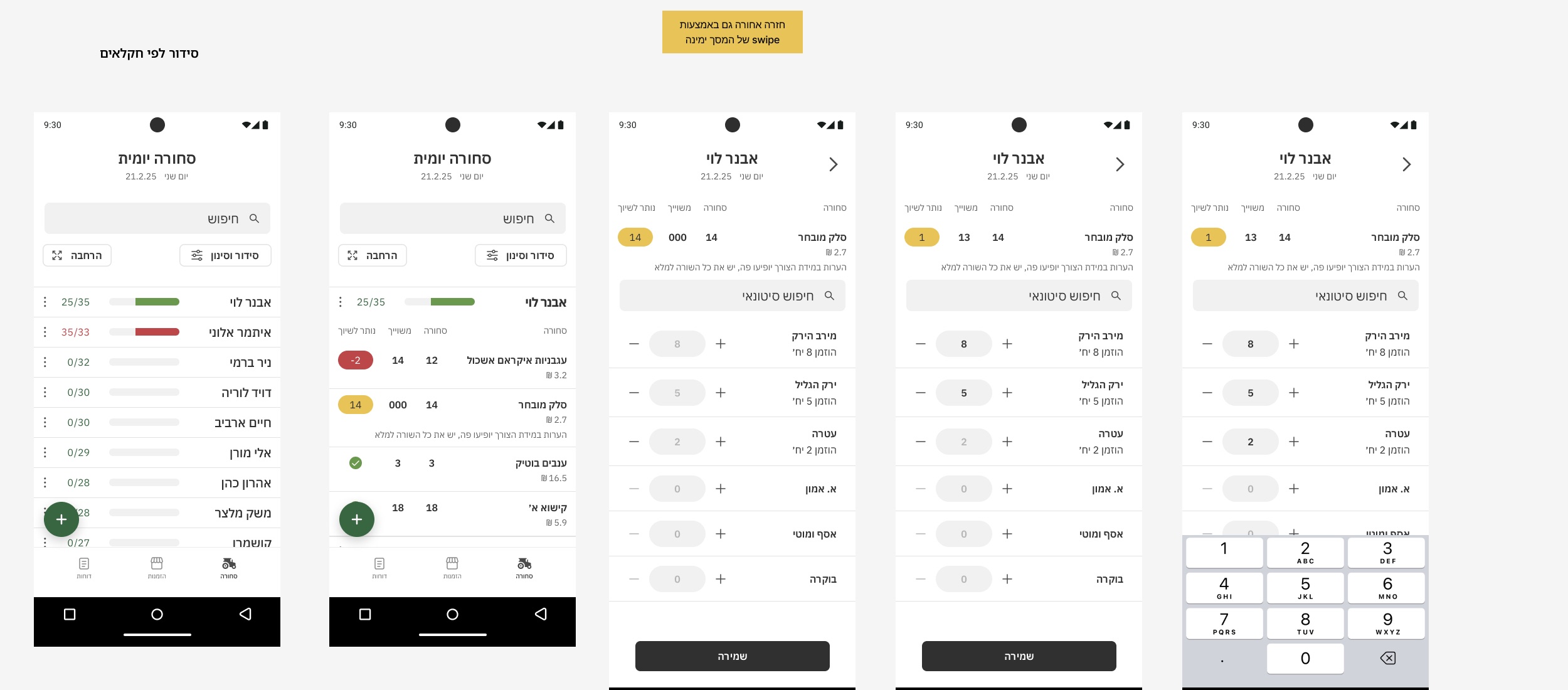
Daily goods flow: farmers list with progress bars, one farmer’s products with arrived, assigned and left, and the quantity stepper

The challenge

The users are the brokers, not the farmers or the wholesalers. They work from their phones, in a short and busy window every morning. Every extra tap or field costs them.

Leaving things out

I wanted to add nice features. It took me a while to see that they didn’t help the work, they got in its way. The final design keeps only what a broker needs to get through the morning: what arrived, what’s assigned, what’s left.

The app
Goods, per farmer.Every farmer with a progress bar of what’s been assigned. Inside, each product shows arrived, assigned and left, with a stepper sized for a thumb.
Daily goods flow: farmers list with progress bars, one farmer’s products with arrived, assigned and left, and the quantity stepper
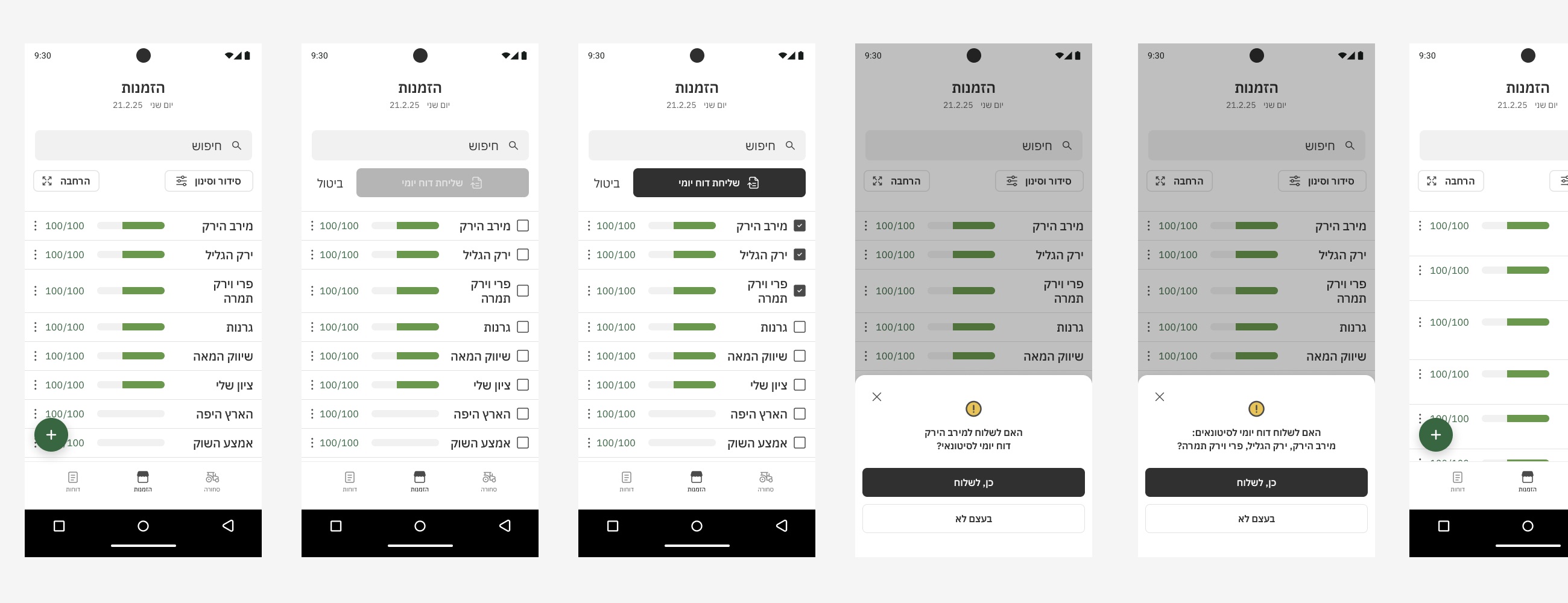
Orders and the daily report.Per wholesaler, and one action to send the day’s report to the ones you choose.
Orders screen with wholesalers, selecting several and confirming the daily report
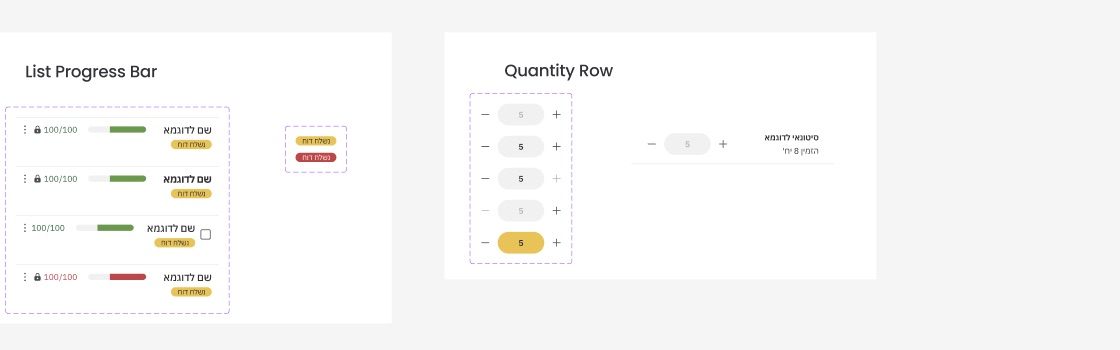
A component library, ready for development.Bottom sheets, list rows with progress, quantity rows and their states, all defined once.
Bottom sheet components: menu, report selection, sort and filter, add note, messageList progress bar and quantity row components with their states

Reflection

Not every project ships. This one taught me restraint: the best screen for a busy morning is the one with nothing extra on it.