← All work Emergency Response System
How deep?
02 · Case study

Emergency Response System

A real-time system for the security team of a large youth movement. When something happens in the field, every second and every detail counts.

ClientNOAL & Dror Israel youth movement
Year · Duration2024 · a few months
PlatformMobile app for the security team, fed by a WhatsApp reporting bot
My roleProduct designer of the app: UX, UI, design language
TeamMe, the head of security (client), an external PM + developer
Problem

When the central pager system closed, emergency reports scattered across phone calls and WhatsApp. Cases were missed or handled twice.

What I did

Worked closely with the head of security and designed the team’s app around the structured reports a WhatsApp bot collects.

Key decision

A familiar, conventional visual language. Under pressure the design has to support the action, not compete with it.

Outcome

Live and in daily use by the security team: one view of every open case, a clear owner for each, and a full log.

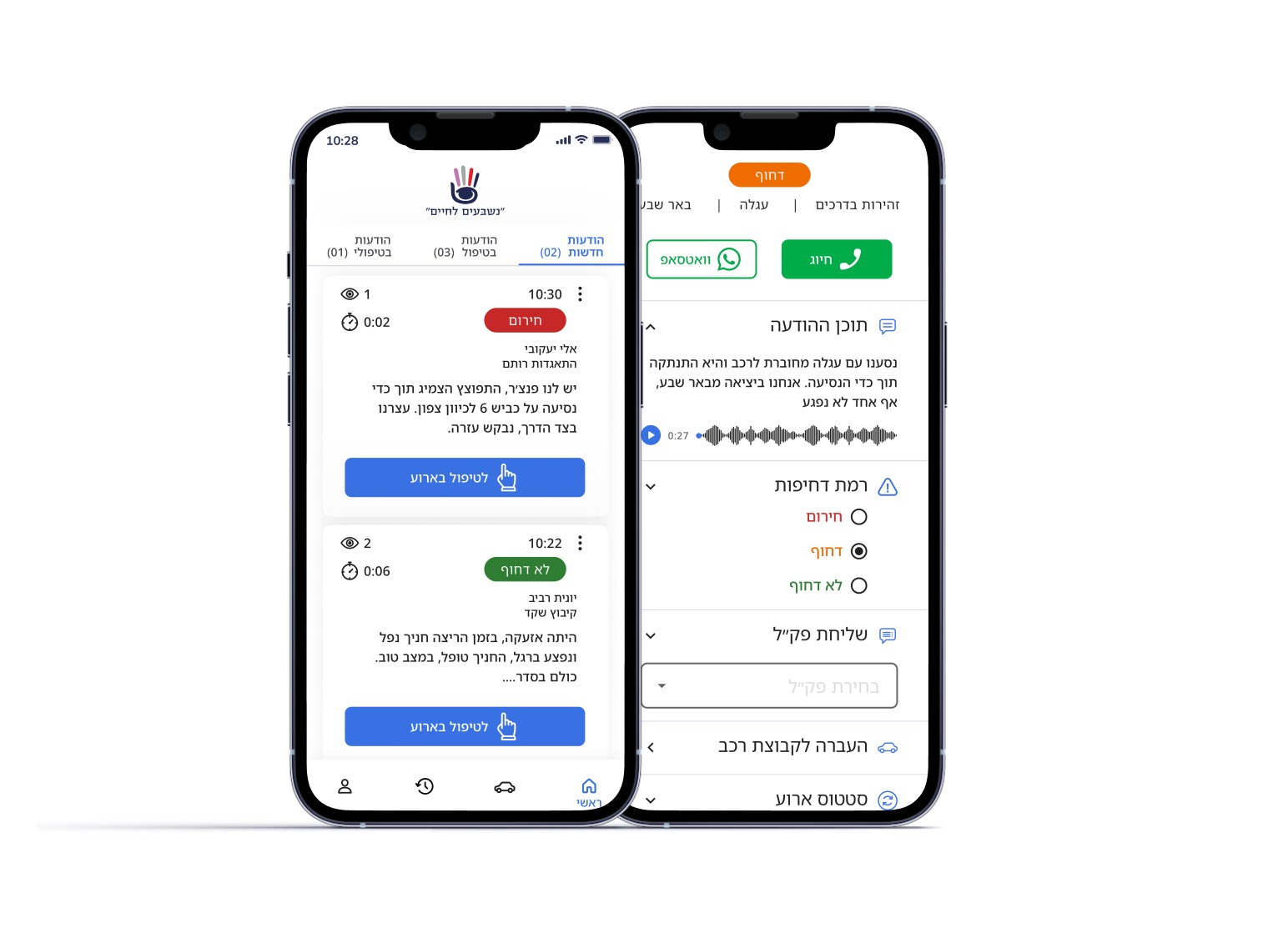
Two phones: the list of new alerts with urgency badges, and an open case with call and WhatsApp buttons, voice message and urgency level

Context

The organization

The system serves the security and safety team of a large youth movement, handling emergency situations across the organization in real time. A small team, usually about five people, where speed, clarity and reliability are critical and every decision can have immediate consequences.

How it worked before

Emergency communication used to run through a central pager system that alerted all security managers at once. When it closed, no clear replacement was set up. Reports started arriving through phone calls and WhatsApp messages, and both members and managers lost the picture.

No clear entry pointMembers didn’t know who to contact in an emergency.
Fragmented channelsReports arrived by phone, WhatsApp and informal coordination.
No central visibilityNo single place to see every active case.
Hard to track incidentsManagers couldn’t follow the status of each case.
Coordination breakdownCases were duplicated, missed, or handled without alignment.

Two sides of the system

I worked closely with the head of security, who is also one of the system’s core users. The system had to connect two very different people:

Reporter

Any member of the movement · reports through a WhatsApp bot

Needs a simple reporting flow that takes minimal effort under stress.

  • Not a user of the app itself, but every case starts with them.
  • Needs clear guidance on what to report, step by step.
  • The report has to be structured and reliable, even though it happens outside the system.

Security team

About 5 people · the app’s users

Needs to understand a situation fast, act, and coordinate without stepping on each other.

  • A clear overview of all active cases.
  • Track status and actions on every case.
  • Reliable, structured information to decide quickly.
  • Coordination across team members.

Key insight

The work starts outside the system, in a stressed WhatsApp message. The app’s job is to turn that message into a clear, actionable case, so the team can understand it at a glance and act.

Shaping the system

My approach focused on turning fragmented, real-time communication into a structured and manageable workflow. Instead of visual innovation, I prioritised clarity, speed and reliability.

The key decision: a familiar visual language

I intentionally used a conventional visual language: clear hierarchy, recognisable patterns, emergency colours everyone already knows, large buttons and highly readable layouts. The goal here is acting on the case and documenting it. The design has to support that and never get in the way.

As a mobile product used in time-sensitive moments, every decision aimed at fast scanning, clear status and confident action.
Designing for clarity under pressure

Reports arrive already structured.Members report through a guided WhatsApp flow that collects the essential details step by step. The bot was built by the development team; I designed the app around the structured case it produces.
One overview, a clear owner for every case.All incidents in one list, by urgency and status. Taking ownership is one tap, and everyone sees who is handling what. Try it.
מערכת הודעות חירום
חדשות (1)בטיפולי (0)טופלו (0)
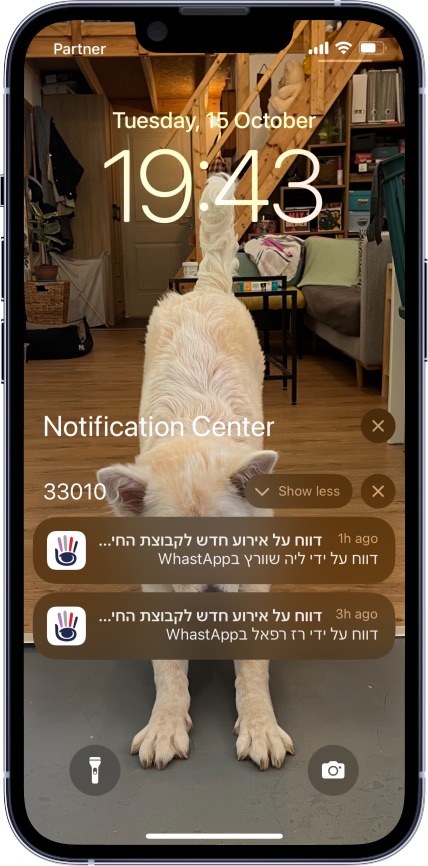
Nothing waits for someone to check the app.Push notifications for new and updated cases, so critical information isn’t missed when managers are on the move.
Lock screen with two notifications about new incident reports
The case updates itself.Each report becomes a structured case that updates in real time. Everything is saved and shown instantly, with no manual refresh.
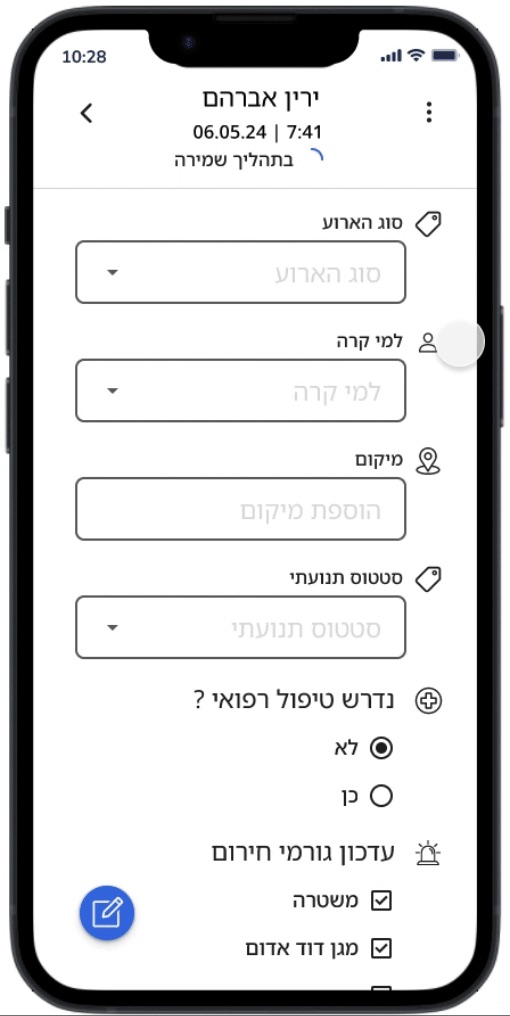
Case form: event type, who it happened to, location, status, medical care needed, emergency services notified
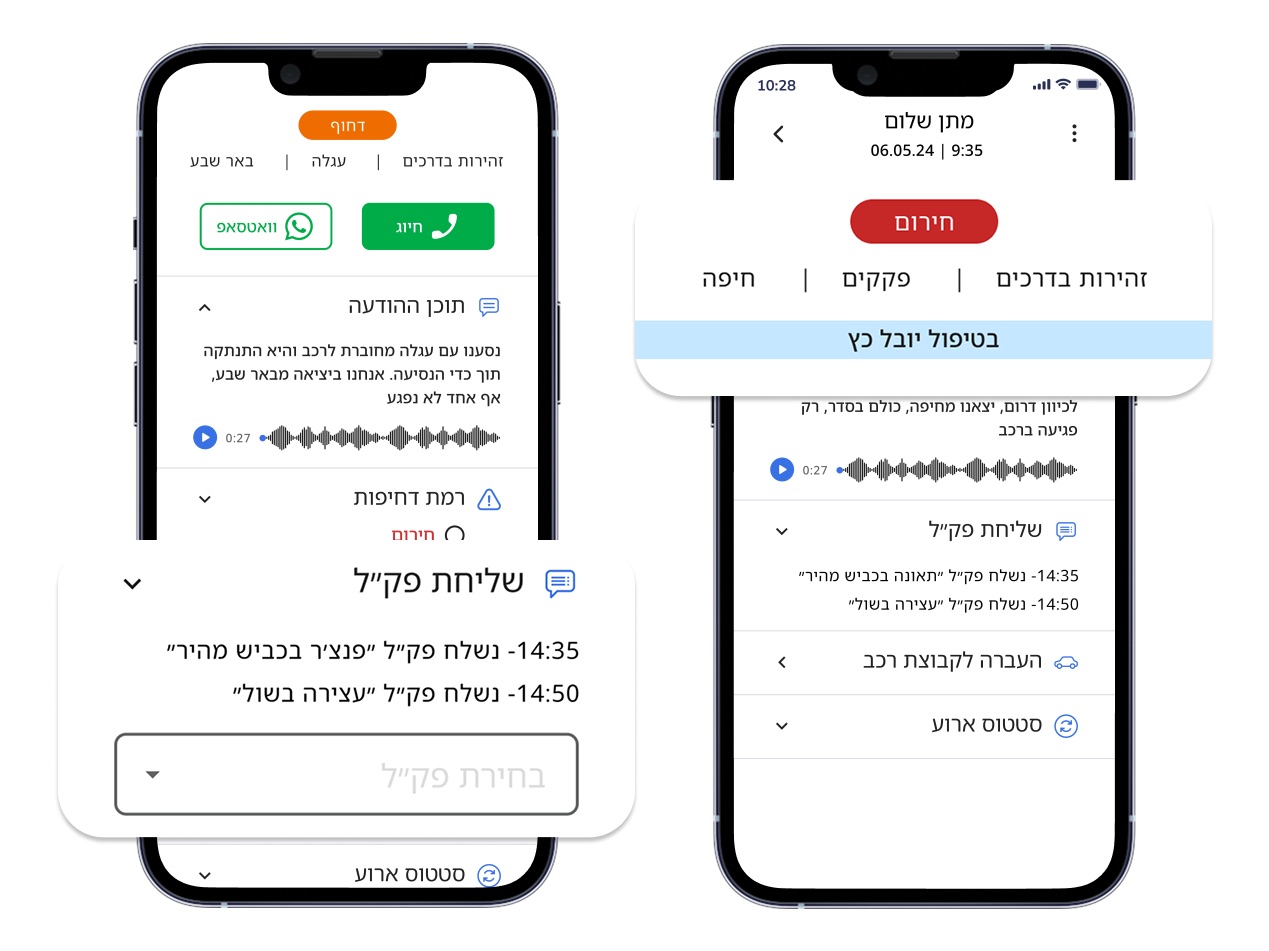
Act without switching tools.Update status, assign responsibility, or call and WhatsApp the reporter directly from the case.
Case screens: urgency, status 'handled by Yuval', and a log of updates sent
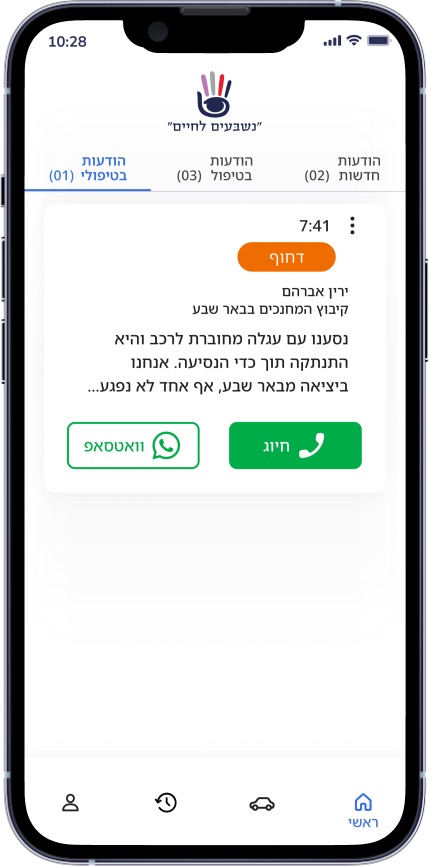
The reporter is one tap away.Call or WhatsApp buttons at the top of every case, because details often have to be clarified fast.
Case screen with call and WhatsApp buttons

Impact

One central viewOf every ongoing emergency case.
A structured workflowInstead of fragmented calls and messages.
Faster, more confident decisionsUnder pressure.
Better dataFewer missing or unclear details.
Fewer duplicatesIncidents are no longer handled twice.
Stronger coordinationAcross the security team.

Reflection

This project needed a very different approach from most of my work. Instead of visual polish, the priority was a system that works reliably under pressure, where clarity and speed directly affect decisions.

It reinforced designing for real-world constraints rather than ideal scenarios, reducing cognitive load in stressful moments, and thinking beyond screens: the whole system, including inputs that live outside the app, like WhatsApp.

That was the overview. The deep dive adds the context, both sides of the system in full, and every solution.